Tuesday, August 18, 2026
How to Subscribe to New Channels on Tikker (It's Free!)
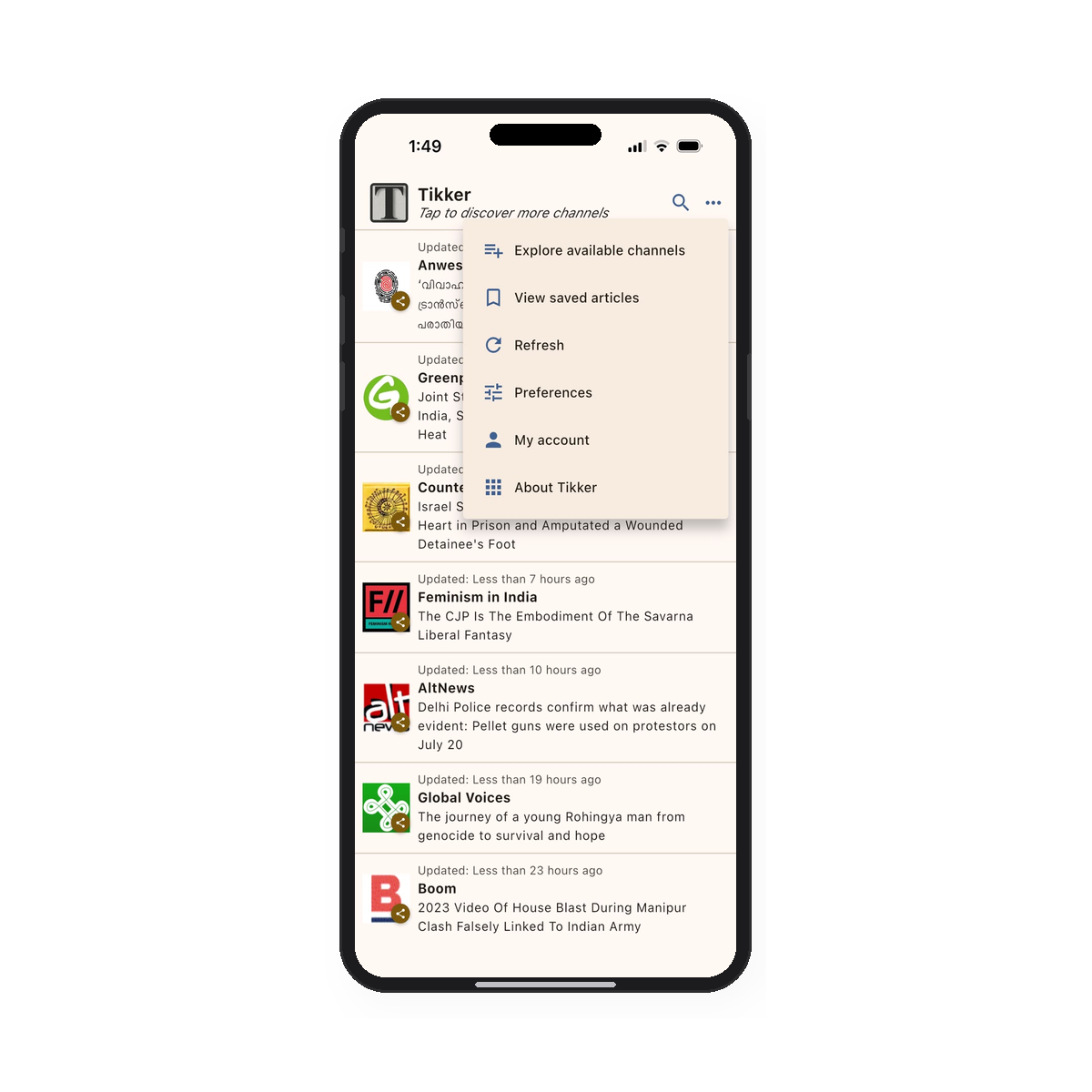
Tikker lets you build a personalised news feed by subscribing to channels from independent publishers, fact-checkers, and media organisations. Whether you want environmental reporting, feminist commentary, or global human-rights stories, there's a channel for it. Here's how to find and subscribe to them.
Step 1: Open the channel explorer
From the main Tikker feed, tap the three-dot menu in the top-right corner of the screen. A menu will slide up with several options.
Tap "Explore available channels" — the first item in the list. You can also reach this screen by tapping the subtitle text that reads "Tap to discover more channels" beneath the Tikker logo.
💡 The same menu also lets you view saved articles, refresh your feed, or adjust your preferences.
Step 2: Browse and subscribe to channels
The Available Channels screen shows all the channels you can follow. Each listing includes the channel's name, a short description, and a checkbox on the right.
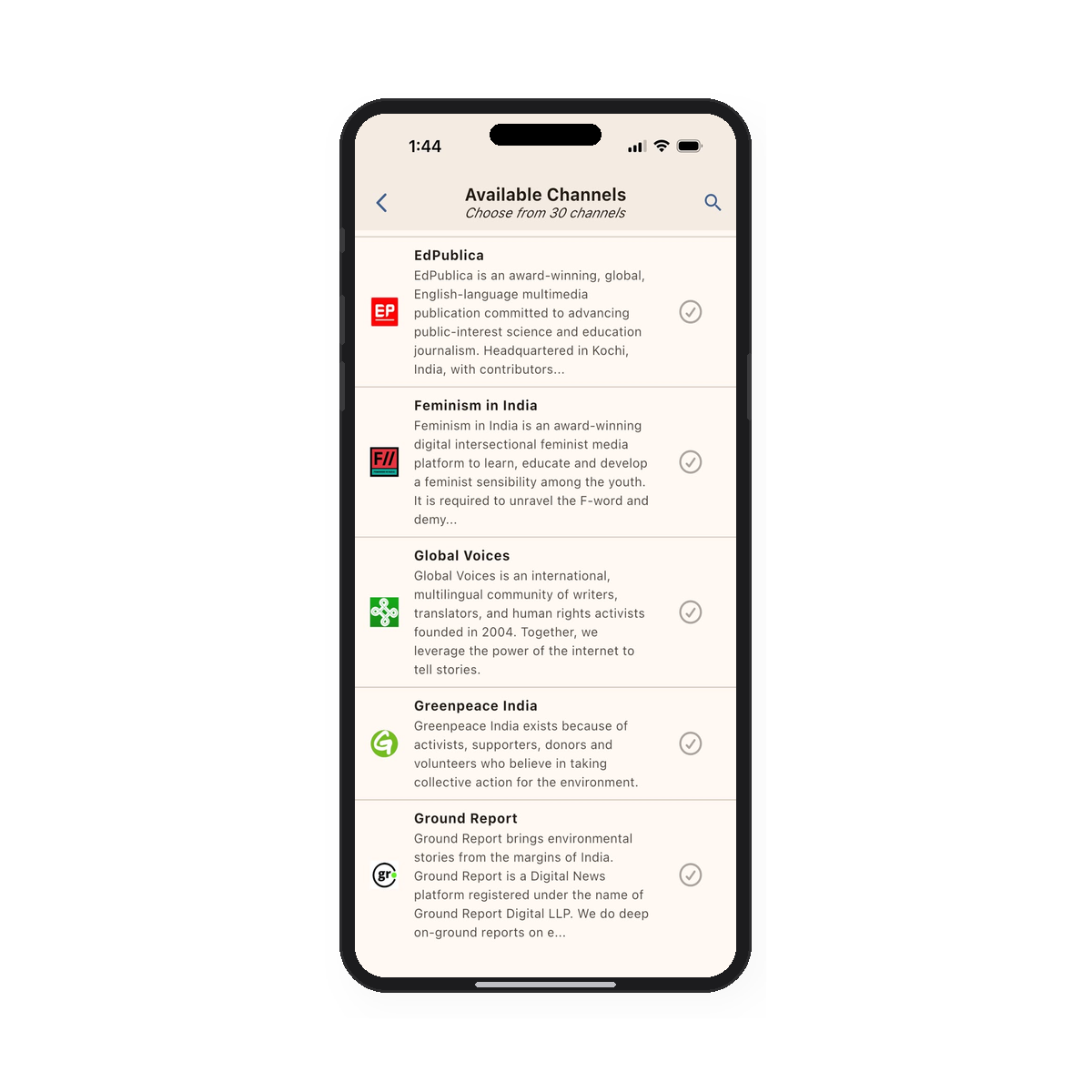
Tap the icon next to any channel to subscribe to it.
Use the search icon (top-right) to filter channels by name or topic if you're looking for something specific.
📰 Channels include publishers like Global Voices, AltNews, Greenpeace India, Feminism in India, and more.
Good to know
- New articles from subscribed channels appear in your main feed, sorted by how recently they were updated.
- You can subscribe to as many channels as you like — there's no limit.
- To unsubscribe from any channel, swipe left on the channel you wish to unsubscribe from and tap "Remove".
- Tikker currently offers 30+ curated channels spanning news, fact-checking, environment, and social justice topics.